
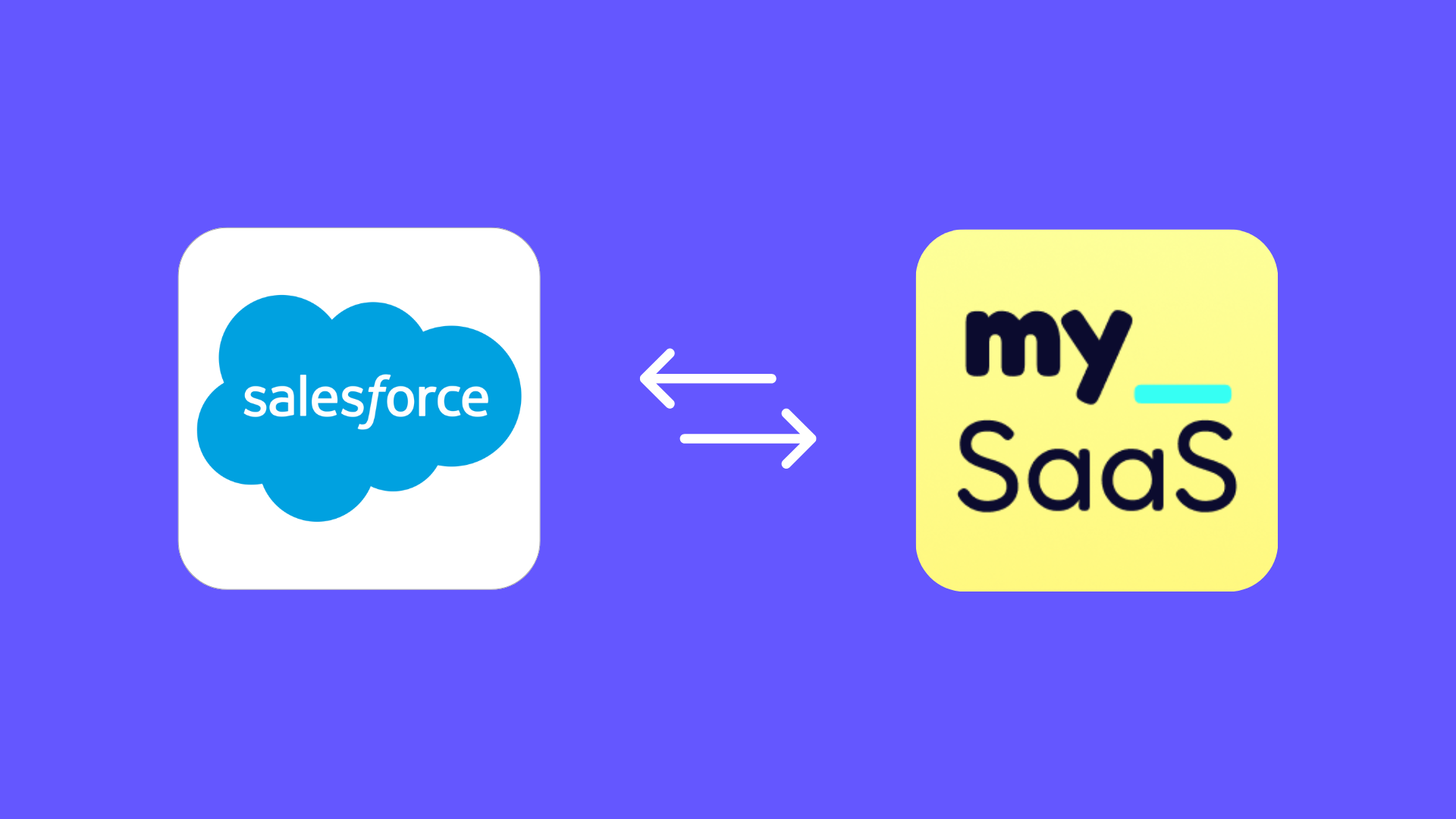
Picture this: Your customers use Salesforce to manage their sales processes while they use your product to manage customer service and gain unique insights. Without integration, Salesforce data—like deal history or contact details—remains siloed, and your product's insights can't flow back to Salesforce.
This seamless bidirectional data exchange between systems is called 2-way sync. It ensures that data flows in both directions, keeping both systems consistent and aligned. To achieve this, changes in each system must be carefully tracked, including updates, additions, or deletions. These changes are then synchronized so that any modifications in one system are accurately reflected in the other. Additionally, robust conflict resolution mechanisms are essential to manage simultaneous changes and ensure data integrity, even in complex scenarios.
Two-way sync not only simplifies workflows but also ensures teams across platforms work with the same, up-to-date information - enabling better decisions and improved collaboration.
Let's say you're a Product Manager at MySaaS, and you're planning an integration with Salesforce. Both systems manage critical master data, like contact and account information, as well as app-specific data that is unique to each platform. App-specific data from MySaaS could include customer health scores or usage metrics. Data like this can be seamlessly integrated into Salesforce by using custom fields.
Teams using Salesforce gain seamless access to enriched data from MySaaS directly within their familiar workflows. This ensures a unified view of critical information, streamlines collaboration across departments, and empowers teams to make faster, data-driven decisions.
Implementing a robust 2-way sync is a highly intricate process that requires addressing multiple layers of complexity. From managing interdependent data relationships and ensuring consistent updates across systems to handling differences in API structures and large data volumes, each step poses unique challenges. Without a carefully designed approach, these complexities can result in data inconsistencies, synchronization loops, or performance bottlenecks, undermining the value of the integration.
Data Loops
One of the most critical technical risks in a 2-way sync is data loops. These occur when updates from one system trigger updates in the other, creating an infinite cycle of synchronization. This issue often stems from relying solely on fields like last updated at or Etag, which are automatically updated even when no meaningful data changes occur. Preventing data loops requires implementing source tracking to identify the origin of changes and suppress redundant updates. Additionally, logic must be added to check for actual field value changes, ensuring that only meaningful updates trigger synchronization.
Overwriting Data
Without proper conflict resolution mechanisms, 2-way syncs can lead to overwriting critical data. For example, when simultaneous updates occur in both systems, the less accurate update could overwrite correct information. Effective conflict resolution logic that prioritizes meaningful changes and applies clear system rules is essential to avoid this issue.
Latency and API Rate Limits
APIs introduce additional challenges such as latency and rate limits. Latency can create temporary mismatches when synchronization timing between systems is not perfectly aligned. Meanwhile, exceeding API rate limits when processing large data volumes can cause delays or failures. To address these, integrations must optimize API usage with techniques like batching and rate limiting, while ensuring synchronization remains consistent even with timing delays.
Beyond technical challenges, the specific requirements of the integration's use case introduce additional layers of complexity:
Linking Related Objects
Many integrations involve interdependent data, such as associating "Contacts" with "Companies." Maintaining these relationships across systems requires precise data mapping and additional logic to ensure updates in one system are accurately reflected in the other. This is particularly challenging when the structures or logic for these relationships differ between systems.
Custom Field Management
Each system often includes unique app-specific data stored in custom fields. Accurately syncing this data without disrupting standard fields requires a clear understanding of the data structures and a robust mapping strategy. Custom fields can vary widely across systems, making proper alignment critical for successful synchronization.
Addressing these challenges and avoiding pitfalls requires thorough planning, tailored synchronization logic, and ongoing monitoring. A well-implemented sync not only ensures data consistency but also avoids costly errors and inefficiencies.
Creating a robust 2-way sync requires careful planning and implementation to ensure consistent, reliable, and efficient data exchange between two systems. It also involves understanding the API you're integrating with. There are many options for structuring the sync, and the approach you choose depends heavily on the capabilities and design of the APIs involved.
The standard approach for most APIs relies on classic HTTP methods like GET, POST, PUT/PATCH and DELETE. However, some APIs offer additional capabilities, such as an Upsert operation (update if exists, create if not).
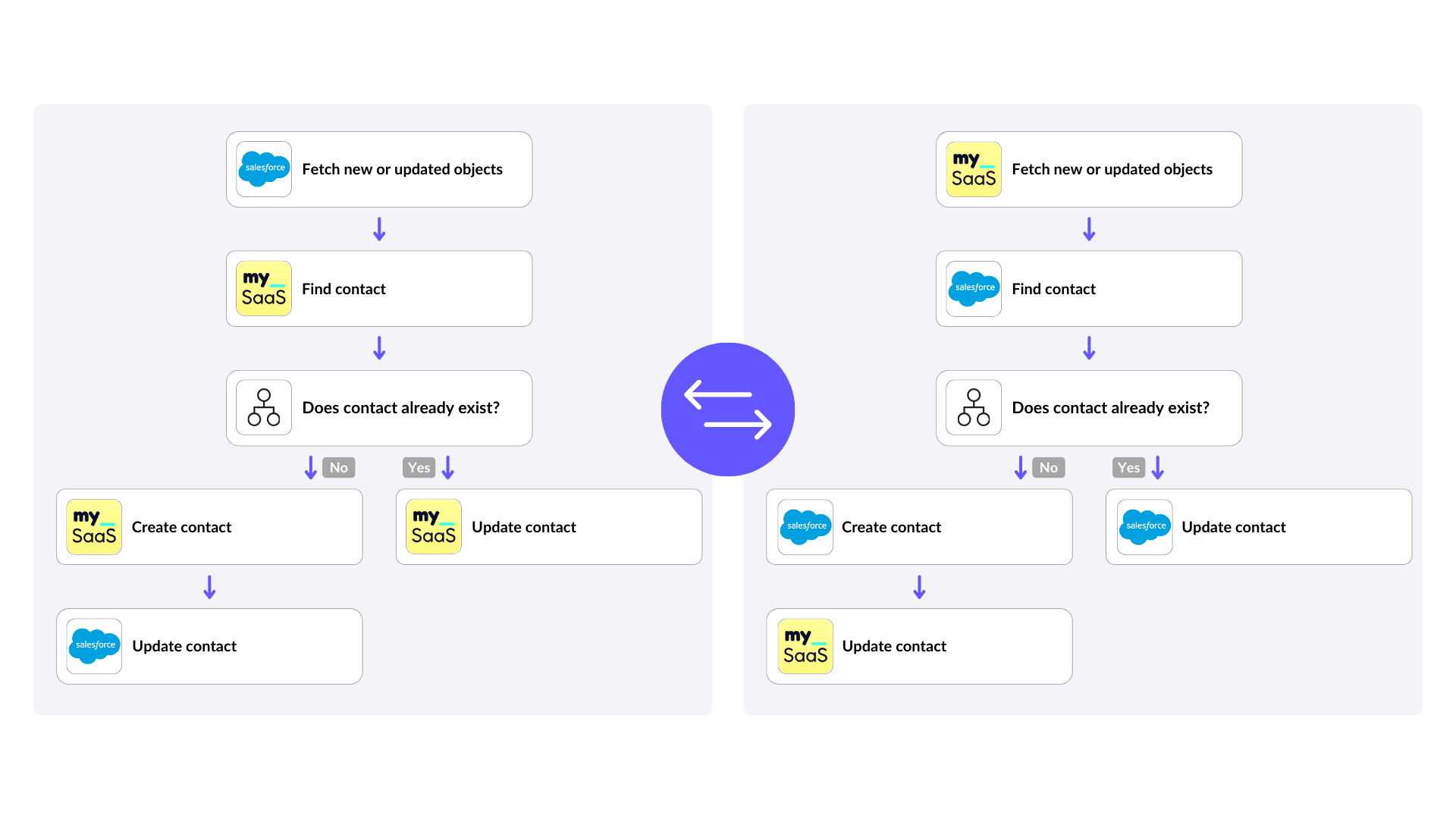
Let's break it down using a practical example of syncing contact data between Salesforce and MySaaS. The synchronization can be thought of as two distinct flows:
Each flow requires careful handling to avoid common pitfalls like duplicates or data loops. Regardless of the API's capabilities, the typical process involves:
At FlowMate, we make integrations easier by using Logic Endpoints. A Logic Endpoint is an endpoint that already includes the logic needed for complex operations, reducing the work required to set up and maintain integrations.
One example of a Logic Endpoint is an Upsert. Instead of manually deciding whether to create or update a contact, an Upsert handles both tasks in one operation. It checks if the contact exists and either updates it or creates it as needed, all without requiring custom logic.
Advantages of using Logic Endpoints:
With Logic Endpoints, 2-way syncs become more intuitive and less time-consuming, allowing you to focus on delivering value rather than solving integration challenges.
Data loops are a common issue in 2-way syncs, often caused by relying exclusively on fields like last updated at or Etag to detect changes. These fields are frequently updated automatically, even when no meaningful changes have been made to the data. This can result in unnecessary updates being triggered in both systems, creating an endless cycle of synchronization.
To prevent this, it's important to go beyond just checking timestamps. Instead, compare the actual field values to determine if a meaningful update has occurred. For example, rather than reacting to an updated timestamp, check whether a contact's email address, phone number, or other critical fields have actually changed. By focusing on the data itself rather than metadata, you can significantly reduce redundant sync operations.
Adding this field-level comparison ensures that your sync logic only processes updates that truly matter, avoiding unnecessary operations and creating a more efficient and reliable 2-way sync.
Building a 2-way sync from scratch can quickly become a complex and resource-intensive task. Challenges such as managing API limitations, preventing data loops, and resolving conflicts require deep technical expertise and ongoing maintenance. An embedded iPaaS like FlowMate simplifies this process and ensures a more reliable and scalable solution for your 2-way sync needs.
By leveraging FlowMate, you eliminate the risks and challenges of building and maintaining custom integrations, enabling a faster, more efficient path to delivering a reliable 2-way sync.
Ready to Master 2-Way Sync?
If you're tackling the challenge of implementing 2-way sync with Salesforce or other CRM systems, let's explore how FlowMate can help you launch your integration faster and more efficiently. Contact us today and take the first step towards seamless data integration!