
For SaaS & AI Platforms



FlowMate is the Agentic Automation OS for SaaS and AI platforms, running securely across your entire customer base.
Build and manage automation
with AI-powered automation lifecycle
From prompt to production-ready automation. Enable your product team to build, monitor and optimize every flow your customers demand across the full automation lifecycle, without developer-heavy integration work.
Build
Operate
Diagnose
Optimize
Describe your use case and get a fully configured flow with logic and mapping.
Detect failures, data issues and anomalies across flows with insights.
Identify root causes and get clear steps to resolve issues quickly.
Review how flows perform and improve them with AI recommendations.
Give your customers a native automation experience directly inside your product. FlowMate provides ready-to-use automation components and APIs so users can activate, configure and manage workflows without leaving your app.
AI Assistant
Automation UX
Flow Configuration
Workflow Builder
Let your AI assistant
run real actions
Your assistant executes workflows across your customers' apps and reports back in chat.
Enable automation directly
inside your product
Let users activate flows and connect apps without leaving your product.
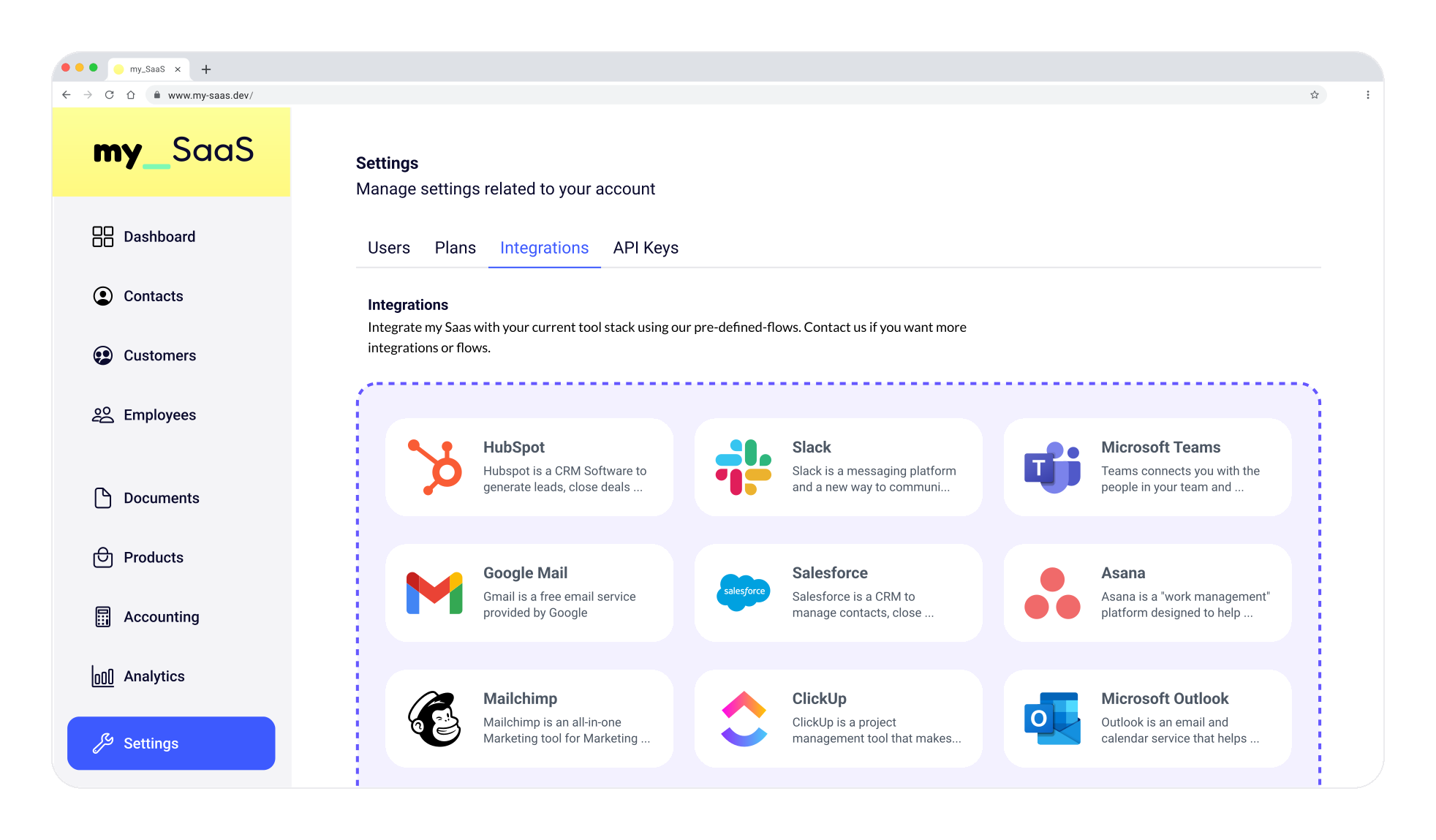
Users define triggers, actions and data mapping directly in your app.
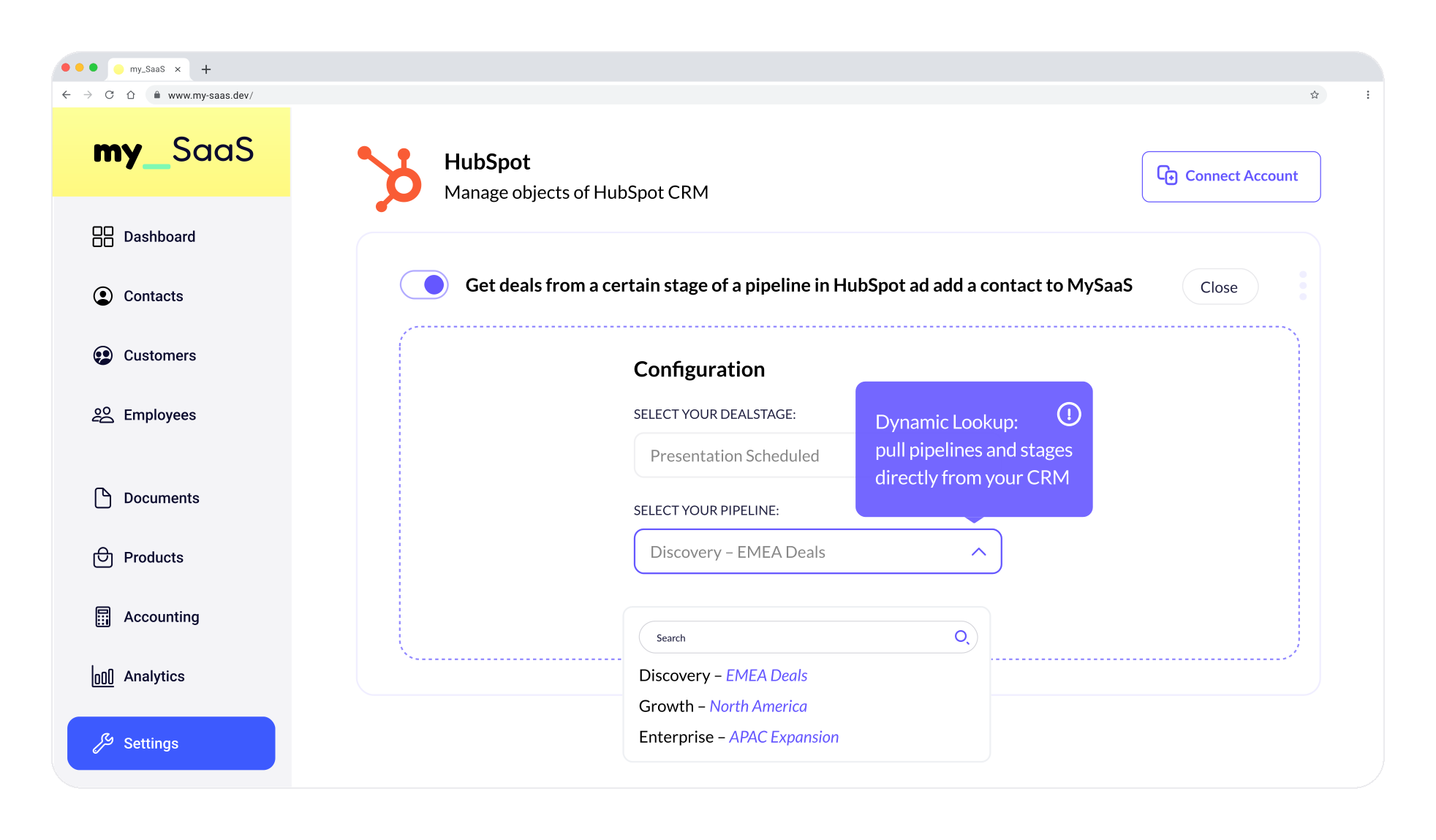
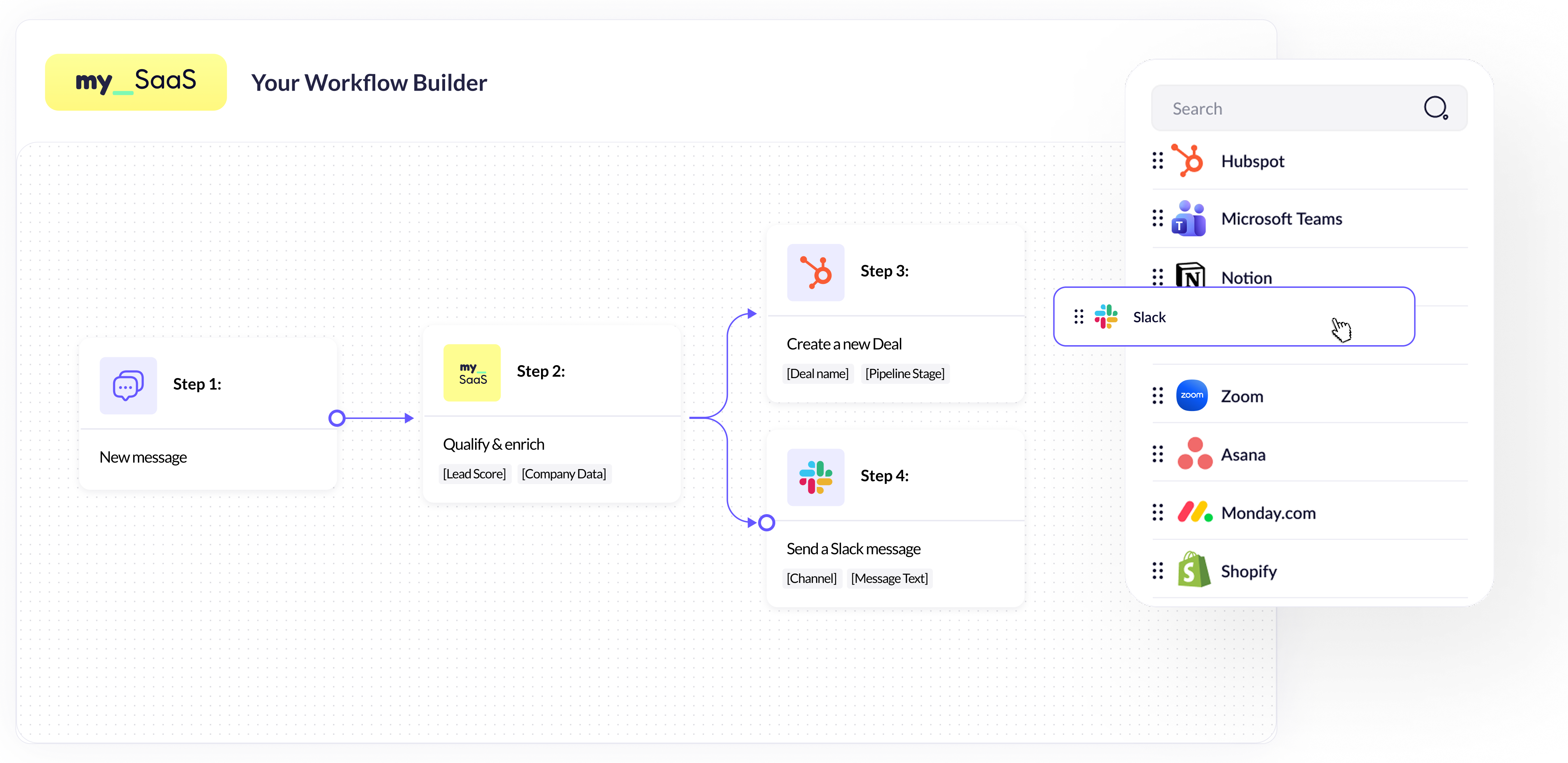
Build your own integrated
workflow platform
Power your workflow or integration platform with the Automation Engine and connectors.
Power every automation use case your customers demand. Dynamic Events, Agent Flows and Automated Flows cover any workflow scenario, while the Automation Engine runs workflows securely across all connected applications.
Trigger workflows instantly when events happen across your product or connected apps.
Allow AI agents to trigger and execute workflows across external systems.
Run scheduled or logic-based automation that continuously synchronizes data and executes workflows.
Execute workflows securely and reliably across all third-party apps. The Automation Engine handles authentication, tenant isolation, permissions and runtime execution so you can deliver automation at scale.
Explore the Automation EngineAuthentication
Tenant isolation
Permissions
Runtime execution
Connect FlowMate directly to your platform with a single API. Build custom automation experiences, trigger flows programmatically and integrate automation deeply into your product.
Trigger flows directly from your application, backend services or AI agents.
Create fully customized automation interfaces inside your product using FlowMate's API
Manage templates, executions and automation logic directly from your platform.
Your Platform
Source
Programmatic access
Orchestration
Execution
FlowMate provides all the connectors you need to power any workflow. Over 150 are ready to use out of the box, and new ones can be delivered fast and reliably through our AI-driven generator. If an API exists, every endpoint and webhook is covered.

Linear
.svg)
Google Docs

Greenhouse

Shopify

Klaviyo
.svg.webp)
Google Slides
Google Drive

Zendesk

Lemlist
Google Sheets

Intercom

Asana

Typeform

Pipedrive

Gong

Mailchimp

Zoom

Apollo

Notion

Calendly

Gmail
.png)
Slack
.png)
HubSpot

Personio
Ship automation to every customer.
No engineering. Just describe it.
The Agentic Automation OS for SaaS and AI platforms.
FlowMate's Automation OS lets AI systems and software products execute workflows autonomously across multiple applications. Product teams describe an automation in Claude, ChatGPT, or Gemini, and FlowMate builds it, runs it, and keeps it running securely across their entire customer base, without engineering effort. It's the missing execution layer between AI reasoning and real-world action.
You build Flow Templates in FlowMate, the same way you'd build any standard feature in your product. You publish those templates to your customers, and each customer's users handle their own configuration, connecting their accounts and setting their specific values. The result is a Flow, a live, customer-specific automation running on your template. One template can power thousands of customer-specific flows, each isolated in its own tenant, which is the foundation of the multi-tenant architecture other automation tools aren't built for.
Zapier, Make, and n8n were built for human users who set up automations themselves, in a separate tool, outside of any product. That leaves two gaps for SaaS companies and AI platforms: your customers have to leave your product to manage automation, and the tools were never built for AI agents as the actor or for multi-tenant execution at scale. FlowMate is built specifically for this: automation described from the AI platform your team already uses, running securely across your entire customer base.
FlowMate runs invisibly in the background. Your customers interact with automation as a native feature of your product, under your brand, not as a separate FlowMate experience. How you price or package that feature is entirely up to you. FlowMate powers the execution; your business model stays independent.
Describe it in plain language in Claude, ChatGPT, or Gemini, the tools your team already works in. FlowMate turns that description into a fully configured, production-ready flow, with logic and data mapping already resolved, and runs it immediately. No new platform to learn, and no engineering effort required to ship it.
No. Most FlowMate customers today are SaaS companies without an AI agent in their own product. Product teams build and manage integrations by describing them in Claude, ChatGPT, or Gemini, and FlowMate runs the automation in the background for their human end customers. An AI agent inside your own product is a separate, optional use case FlowMate also supports.
Yes. AI agents can trigger flows programmatically, pass context and parameters, and execute actions across third-party applications through a single API, whether the agent lives inside Claude, ChatGPT, Gemini, or a platform your team has built. This lets AI systems move from generating suggestions to performing real, reliable actions.
Yes. Each customer runs in an isolated tenant context, with its own credential management, permission control, and independent execution boundaries. This means automation runs safely across your entire customer base without cross-tenant interference.
FlowMate provides over 150 ready-to-use connectors covering the most common SaaS applications across CRM, marketing, support, finance, HR, and project management. Connectors cover full API surfaces, including all available endpoints and webhooks, not just predefined actions, and new ones can be generated rapidly through FlowMate's AI-driven connector builder.
FlowMate supports three core scenarios: real-time event-driven flows that trigger instantly on things like a new lead or closed deal, scheduled or logic-based flows that run continuously in the background, and AI agent flows that trigger and execute workflows autonomously. Common use cases include CRM and sales automation, customer onboarding, support ticket routing, and any cross-application workflow your customers need inside your product.
No. FlowMate requires a one-time integration by your engineering team. After that, product teams build, manage, and optimize automation without ongoing development effort, since FlowMate handles authentication, execution, retries, and logging.
No, MCP is one option, not a requirement. FlowMate connects to AI platforms via MCP where supported, or through a direct API for platforms that don't use MCP. Either way, the same automation engine builds and runs the workflow.

.png)
.png)